

How To Build Sticky Table Of Content In Drupal 10
Navigating through lengthy Drupal pages can sometimes be challenging for users. A sticky table of contents can greatly enhance user experience by providing quick access to different sections of the page. In this blog post, we'll explain how to create a sticky table of contents in Drupal 10, making it easier for users to navigate your website's content.
The Base functionality of how to identify content and create a structure dynamically is build using a node.js library tocbot. This library was inspired by tocify library, the main difference is that Tocbot uses native DOM methods and avoids the jQuery & jQuery UI dependencies.
Now, there are two ways in which you can implement it on your Drupal 10 site :
- Using the external library directly in your custom Drupal theme.
- Using a Contributed module that provides a wrapper around this library and some configuration options to choose from.
However, if you are not a developer and need a simple way to implement it in your site the "tocbot" module is the answer.
Steps to Setup Sticky Table of Content using Contributed Module
Install and enable the tocbot module
- You can use the composer command as follows : composer require 'drupal/tocbot:^1.0@alpha'
Now, you now enable the module using the extend page in Drupal Admin UI or enable via drush as : drush en tocbot
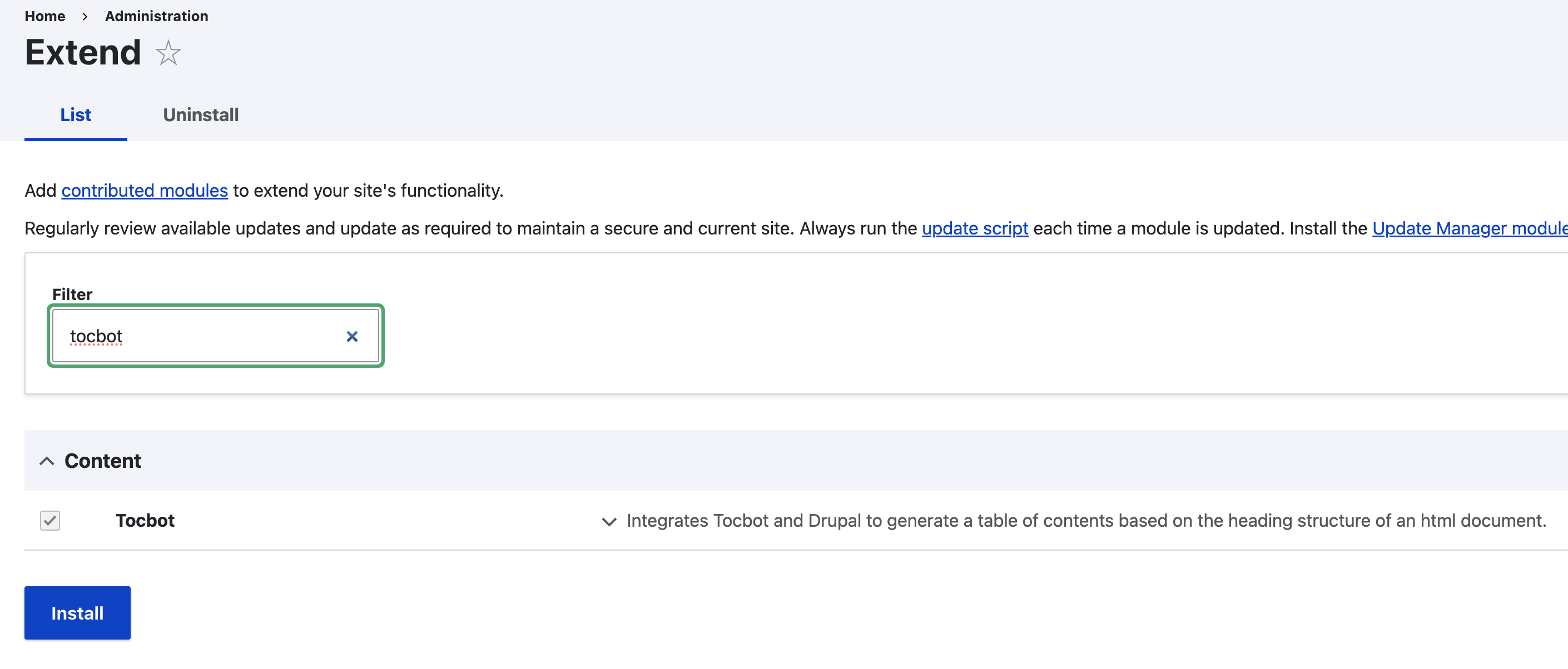
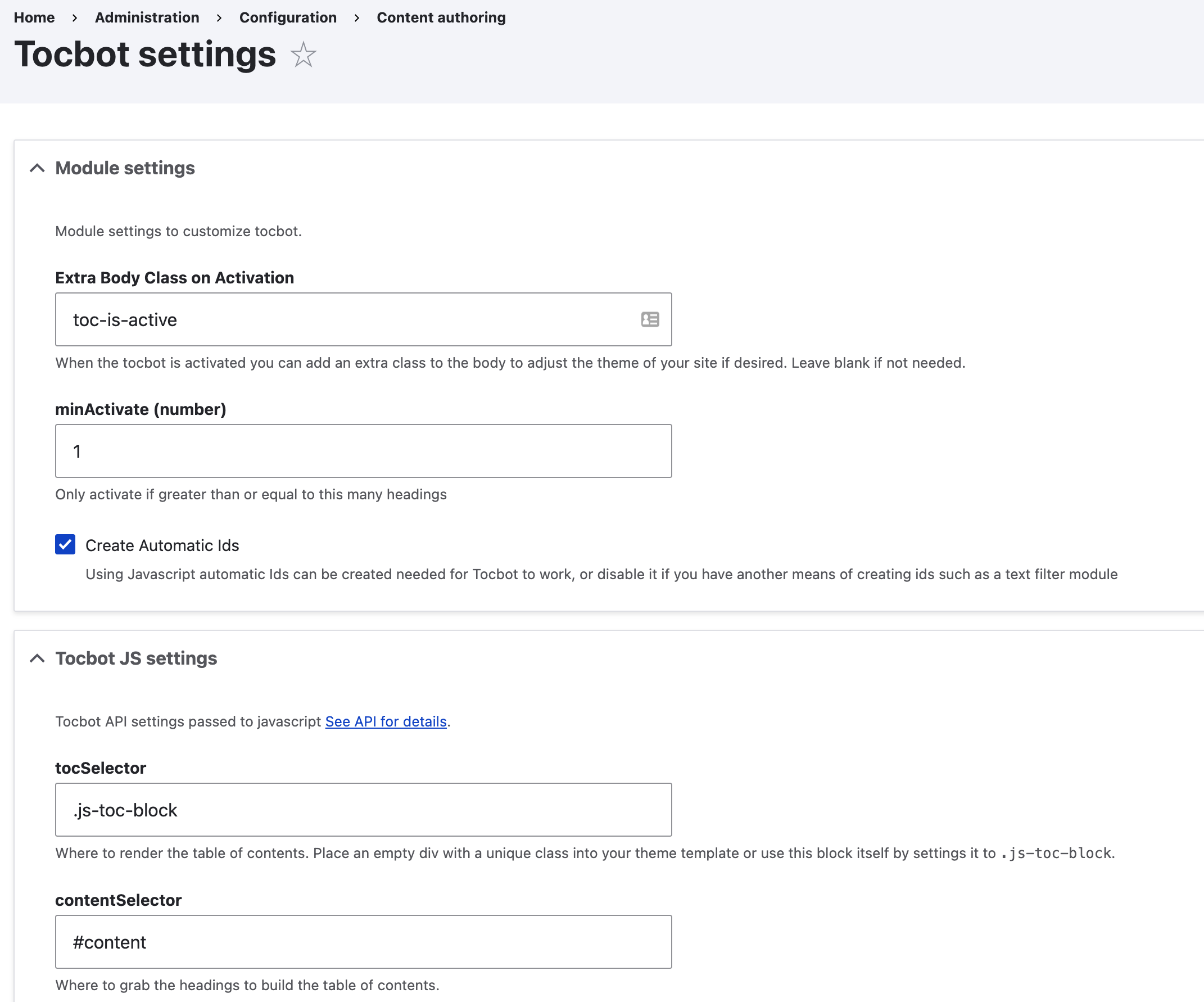
- Now, configure the tocbot module
- Navigate to the configuration page at : /admin/config/content/tocbot
Update the values as per the requirement.
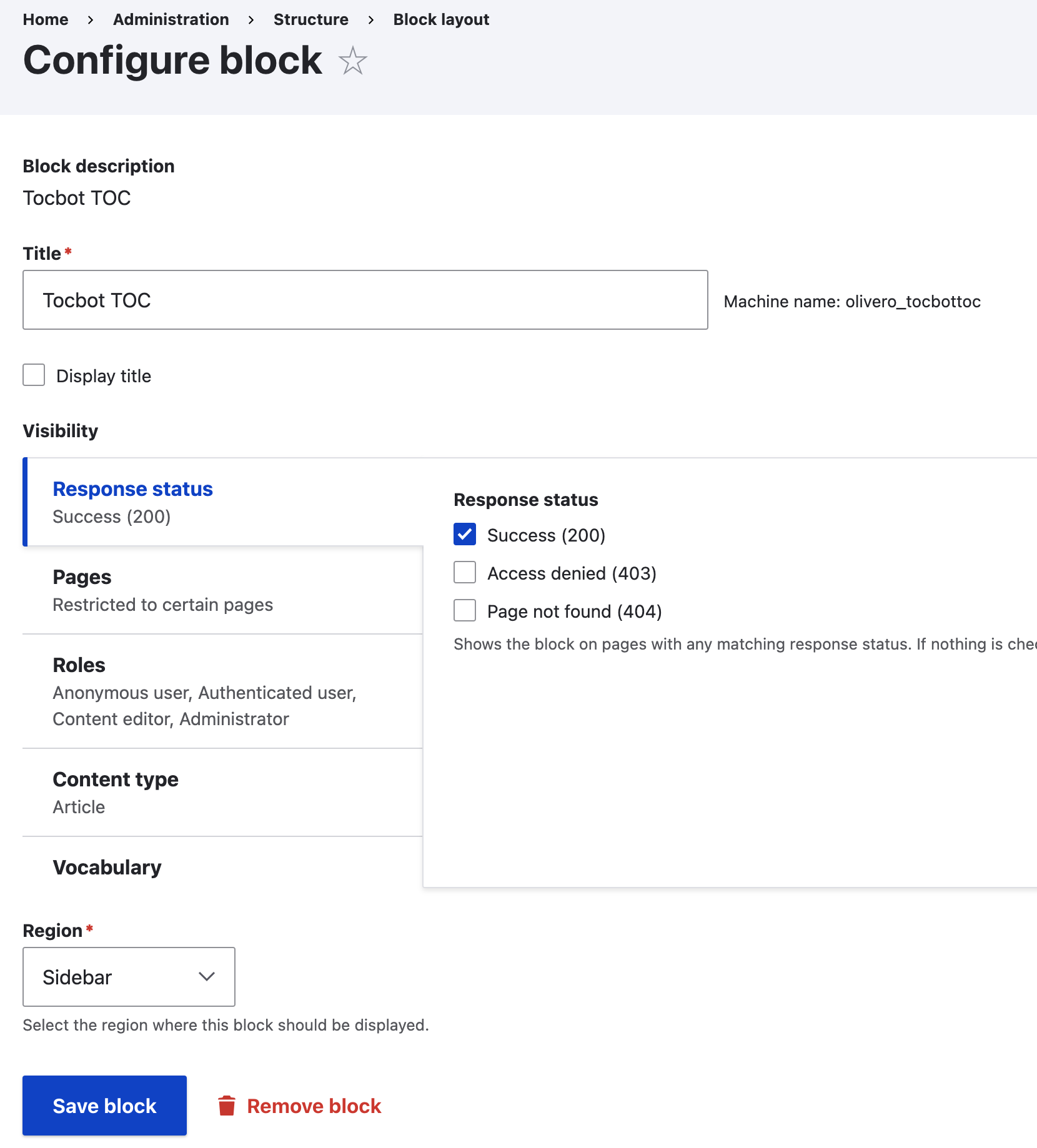
To Display the Table of Content on the needed content type details page
- Place the block created by the installed 'toc' module in the sidebar region.
- Configure the block to display
- On which Content type
- On which url structure
- For which roles
Now, visit the select content type detail page and validate the Dynamic Table of Content Block.

- Done
Check out our YouTube video for a live demonstration! [Watch Now]
By following these steps, you can easily create a sticky table of contents in Drupal 10, improving the navigation experience for your website visitors. Experiment with different configurations and styles to find the setup that works best for your site. Happy Drupal-ing!